How to Download Music from Spotify to Your Computer
To download music from Spotify to your computer, install the desktop app, sign in with Spotify Premium, open a playlist, and click Download. Listen offline once the download finishes. These downloads remain inside Spotify; they are not transferable MP3 files.
Table of Contents
- What you need before downloading
- How to download Spotify music on Windows
- How to download Spotify music on Mac
- How to save individual songs and albums
- How to save authorized music files
- Where Spotify stores downloads
- How to fix download problems
- Key takeaways
- Frequently asked questions
- Conclusion
What you need before downloading
Spotify requires its desktop app and a Premium subscription to download catalog music for offline listening. A free account supports podcast downloads, but not offline downloads of catalog songs. The browser-based Spotify Web Player does not support offline music downloads. If you do not have an active subscription, read our guide on how to download Spotify songs without Premium to learn what the free tier allows and what alternatives exist.
Check these requirements before getting started:
- Install the Spotify desktop app on your Windows PC or Mac.
- Sign in to the account with your active Premium subscription.
- Connect to the internet to download tracks and synchronize your library.
- Keep at least 1 GB (1,000 MB) of free storage, as recommended by Spotify.
Spotify Support specifies a limit of up to 10,000 songs per device on five devices. Connect to the internet at least once every 30 days to keep your offline access active. These restrictions apply to Spotify's in-app downloads, not to independent audio files you legitimately obtain elsewhere.
How to download Spotify music on Windows
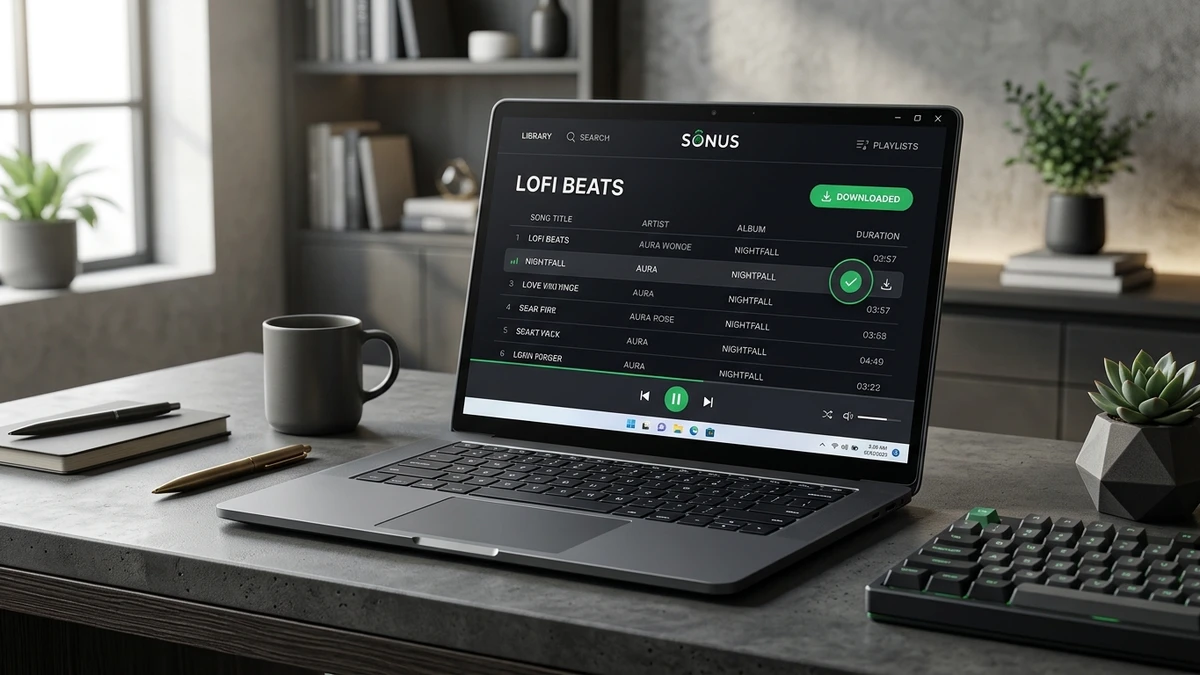
Download a playlist through the Spotify desktop app on Windows 10 or 11. You can keep listening while disconnected after the download completes.
- Open Spotify on your computer and sign in to Premium.
- Search for a playlist or select one from Your Library.
- Open the playlist and locate the downward-arrow Download button near the playback controls.
- Click Download and wait until the downloaded indicator turns green.
- Open the three-dot menu at the top of the desktop app, select File, and enable Offline Mode to test playback without streaming.
How to download Spotify music on Mac
The macOS desktop app uses the same playlist download process as Windows. The main difference is where you find Offline Mode.
- Launch Spotify from Applications or Spotlight.
- Sign in to Premium and open a playlist in Your Library.
- Click the Download arrow near the playlist controls.
- Wait for the green downloaded indicator.
- Select Spotify in the macOS menu bar, then choose Offline Mode.
How to save individual songs and albums
Spotify downloads collections rather than individual catalog tracks through its desktop download control. For one song, create a playlist containing that track and download the playlist. You can also download an album using its download control when available.
For collections of authorized recordings, our Spotify Playlist Downloader provides a browser-based option for playlist links. Check that the audio source permits downloading each recording before proceeding.
How to save authorized music files
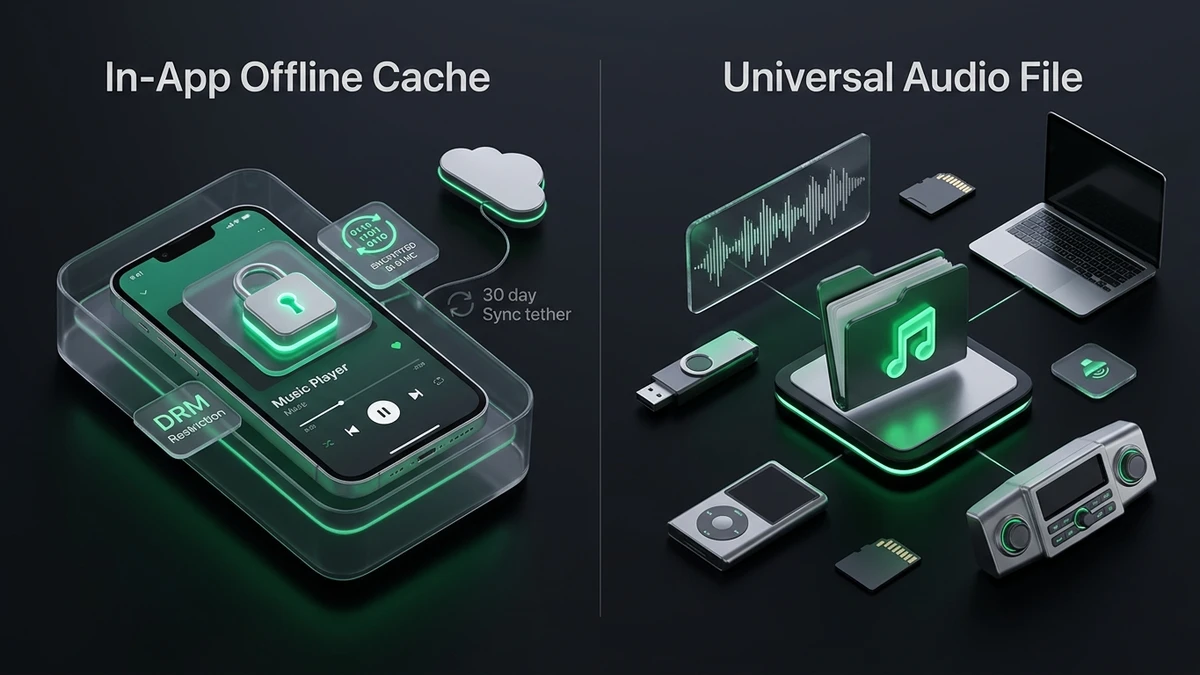
Spotify's offline downloads and MP3 files serve different purposes. An MP3 is a standalone audio file that a compatible media player can open without a streaming subscription. A Spotify download is app-managed content that depends on access to the service.
The following comparison helps you choose between the two approaches:
| Feature | Spotify offline download | Authorized MP3 file |
|---|---|---|
| Playback | Spotify desktop app | Compatible media player |
| Location | App-managed storage | Downloads, Music, or selected folder |
| Transfer to USB | Not supported as playable audio | Supported, subject to license terms |
| Subscription | Premium for catalog music | Depends on the file provider |
| Internet | Initial download and periodic account verification | Not required for local playback |
How to use Spotify Downloader for permitted audio
Our Spotify Downloader brings song and playlist link options together in one browser-based interface. It is a convenient starting point when you want to explore downloading audio that you own or are expressly authorized to save.
Start by confirming that the rights holder permits the standalone download. A public Spotify link is not proof of permission. Open the track's menu and choose Share, then Copy Song Link. Visit the Spotify to MP3 Downloader and paste the link into the input field. Review the available options and proceed only if the service can lawfully provide the authorized recording. If you want to explore broader format options, read our tutorials on how to convert Spotify to MP3 and how to download Spotify playlists as MP3.
Where Spotify stores downloads
Spotify keeps offline music in app-managed storage. It does not save catalog tracks as ordinary MP3 files in File Explorer or Finder.
Open Spotify's profile menu, select Settings, and look for the storage or offline storage location setting. The exact controls can vary with the desktop app version. Avoid renaming or moving its cached files manually, because Spotify manages those files for playback.
How much storage does downloaded music use?
Storage depends on track duration and download quality. A four-minute standalone MP3 encoded at 320 kilobits per second (kbps) uses about 9.6 MB, excluding minor metadata overhead. One hundred such songs use approximately 960 MB (0.96 GB).
Can you add your own music to Spotify?
Yes. Open Settings in the desktop app, locate Library, and enable Show Local Files. Select a music folder or add a new source. Your compatible audio files then appear in Local Files under Your Library. This imports existing recordings for playback; it does not export Spotify's streaming catalog.
How to fix download problems
If Spotify is not downloading music to your computer, check your subscription, connectivity, storage, and device limit before reinstalling the app.
| Problem | What to check |
|---|---|
| Missing Download button | Premium status; open a playlist in the desktop app |
| Download stuck | Internet connection, disk space, and sleep settings |
| Downloaded tracks unavailable | Offline access, account status, and last online sync |
| Device limit reached | Downloads on other devices; Spotify allows five |
| Downloads disappeared | App reinstall, outdated software, or extended offline use |
Key takeaways
- Spotify Premium supports offline music on Windows and Mac through the desktop app.
- Download playlists, albums, or a playlist containing an individual track.
- In-app downloads cannot be exported as ordinary MP3 files.
- Standalone audio downloads require a permitted source and appropriate rights.
Frequently asked questions
Can I download Spotify music to my computer without Premium?
No, not from Spotify's music catalog for offline playback. Spotify Free supports downloadable podcast episodes, while catalog music requires Premium. You can still obtain independently authorized music files from artists or licensed stores and play them on your computer without Premium.
Can I download Spotify songs using Chrome or the Web Player?
No. The Spotify Web Player streams music through your browser and does not provide offline music downloads. Install the desktop app for offline playback on a compatible computer. A separate browser-based audio service is not the same as Spotify's offline feature.
Can I copy Spotify downloads to a USB drive?
No. Spotify's in-app downloads are not transferable music files. A USB drive can hold legally obtained standalone MP3 files, subject to their license conditions. Copy those files through File Explorer on Windows or Finder on Mac, then safely eject the drive.
Do Spotify downloads expire?
Yes, offline access depends on your account and periodic verification. Spotify requires an internet connection at least once every 30 days. If your subscription ends or the device loses download eligibility, the music may become unavailable. Reconnect and check your account before traveling.
Can I download Spotify music in lossless quality on my computer?
Yes, where lossless is available for your Premium account and desktop app. Open Settings, select Media quality, and choose Lossless for downloads. Existing downloads may need updating. Lossless playback preserves audio information without lossy compression, but it consumes more storage.
Why do my downloaded songs still need an internet connection?
Spotify needs internet access to download new music and periodically verify offline eligibility. Once a playlist is fully saved, it should play without an active connection. If playback fails, reconnect, confirm Premium is active, and check that the tracks show the completed download indicator.
Conclusion
Use Spotify for offline playback and authorized standalone files for a portable music library. Spotify Downloader brings relevant download options together in one place.